
Como Importar um Vídeo do YouTube
Importar vídeos diretamente do YouTube é a maneira mais fácil de traduzir e hospedar seu conteúdo existente do YouTube na plataforma Braiv, sem ter que baixar e reenviar manualmente arquivos de vídeo grandes.
Aqui está o fluxo de trabalho passo a passo:
1. Iniciar uma Nova Importação de Vídeo
Seção intitulada “1. Iniciar uma Nova Importação de Vídeo”- Faça login no painel da sua conta Braiv.
- No canto superior direito da tela, clique no botão NOVO.
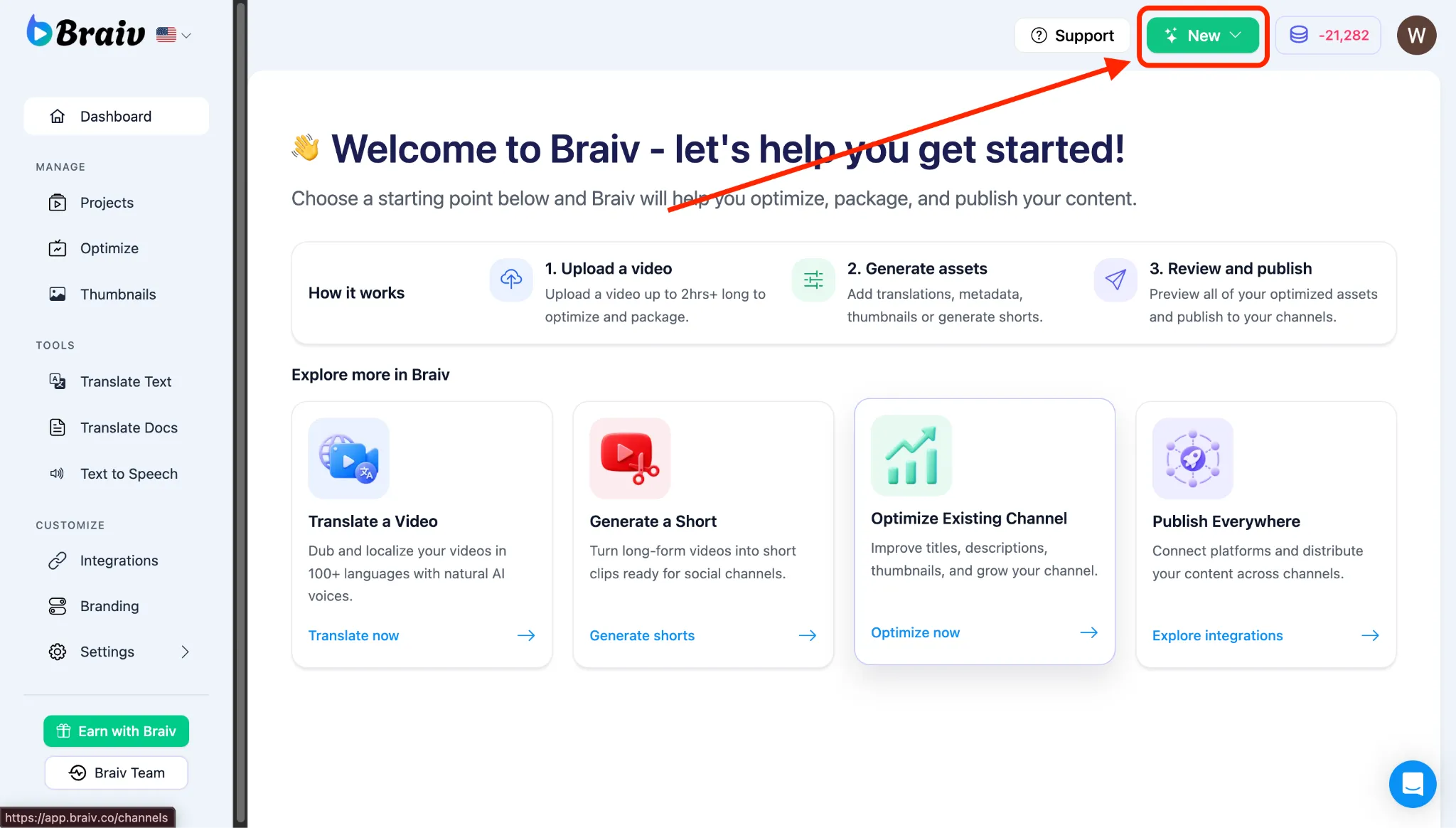
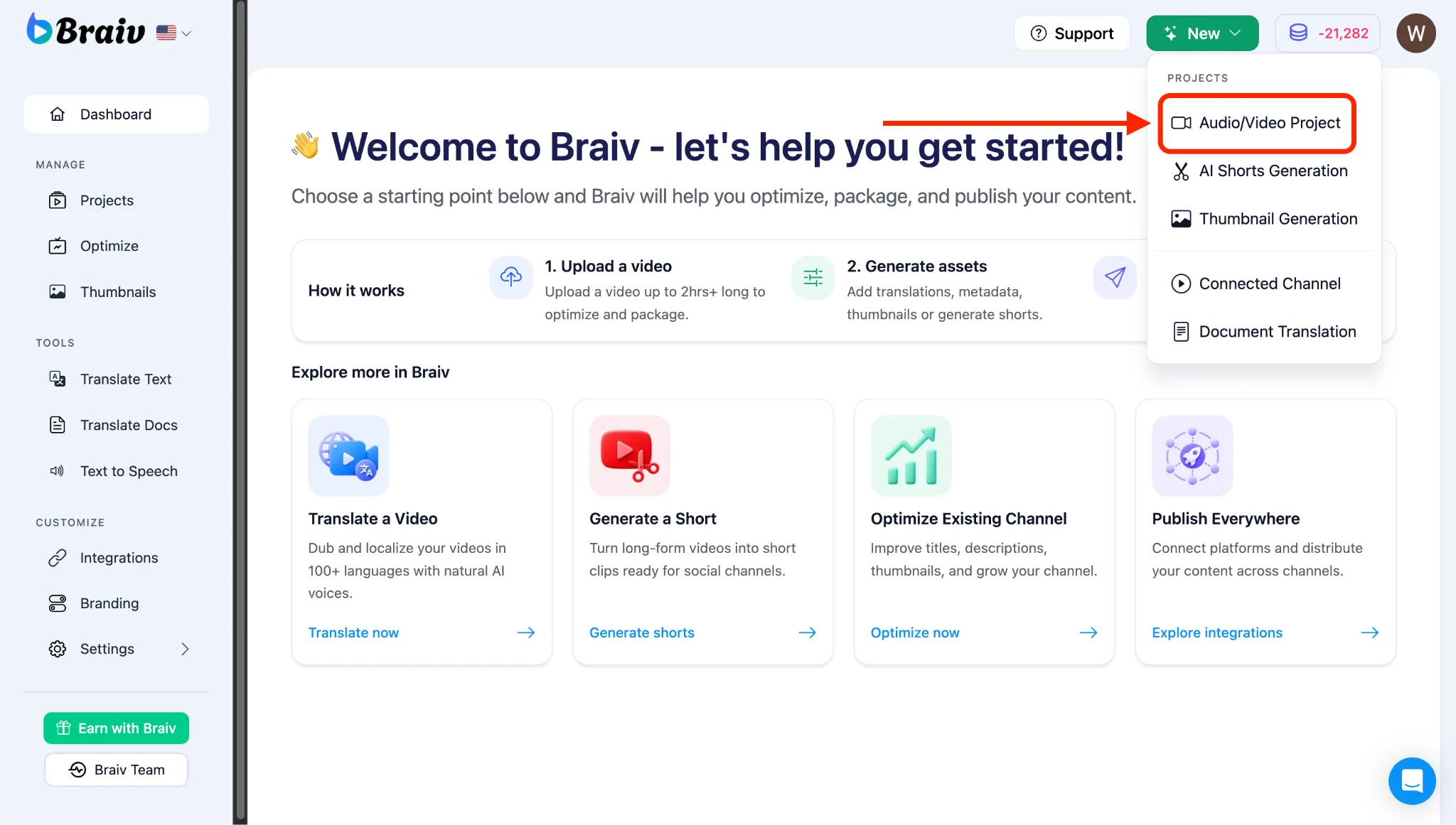
- Um menu aparecerá, escolha Projeto de Áudio/Vídeo.
2. Copie o URL do seu Vídeo do YouTube
Seção intitulada “2. Copie o URL do seu Vídeo do YouTube”- Abra o YouTube em uma nova aba do navegador.
- Selecione o vídeo que deseja importar.
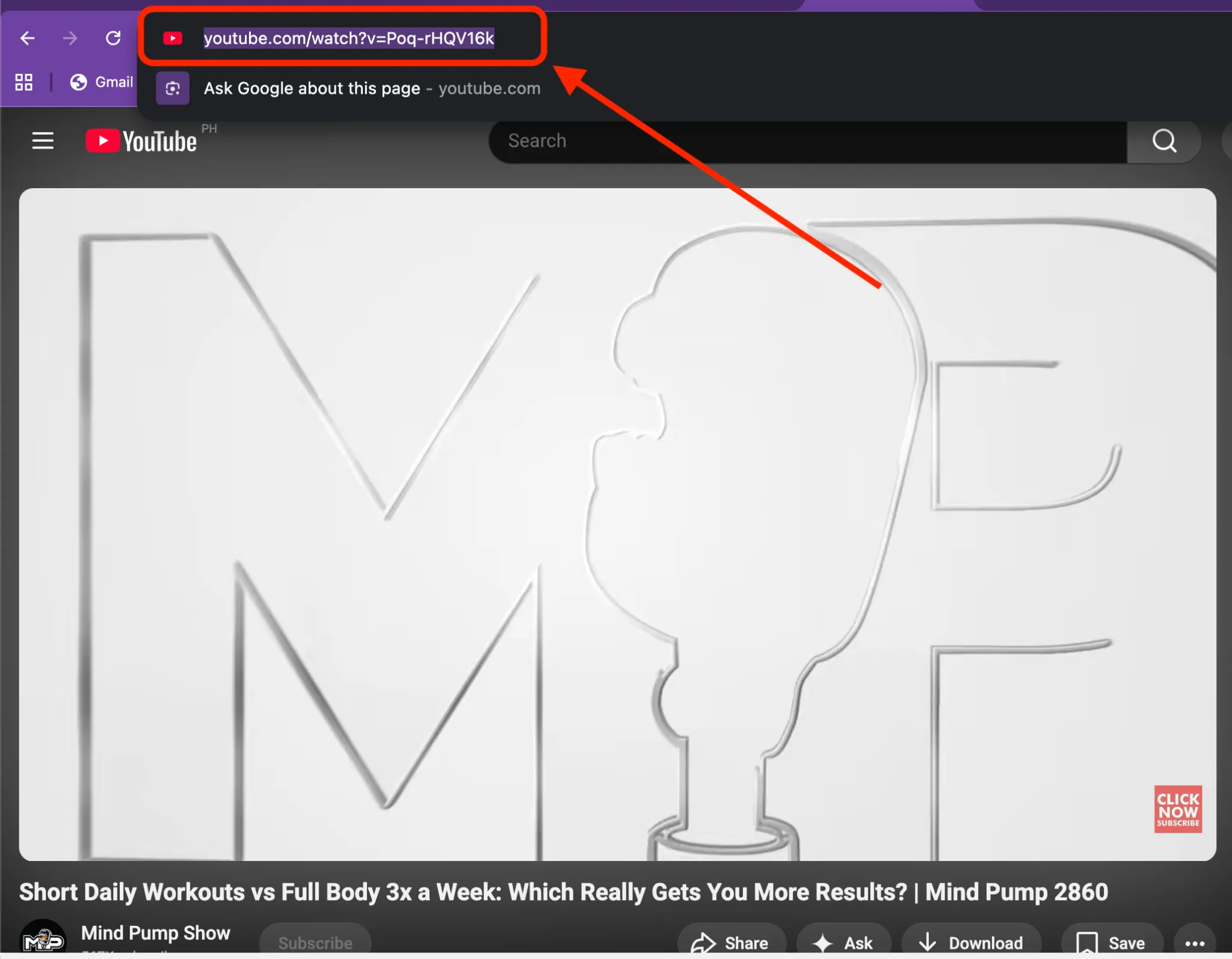
- Copie o URL completo do vídeo da barra de endereços do seu navegador (ou clique em “Compartilhar” abaixo do vídeo e copie o link de compartilhamento).
3. Selecione a Opção de Upload do YouTube e Cole o URL
Seção intitulada “3. Selecione a Opção de Upload do YouTube e Cole o URL”- Volte para a tela de Importação do seu painel Braiv.
- Nas opções de upload da navegação superior, selecione YouTube.
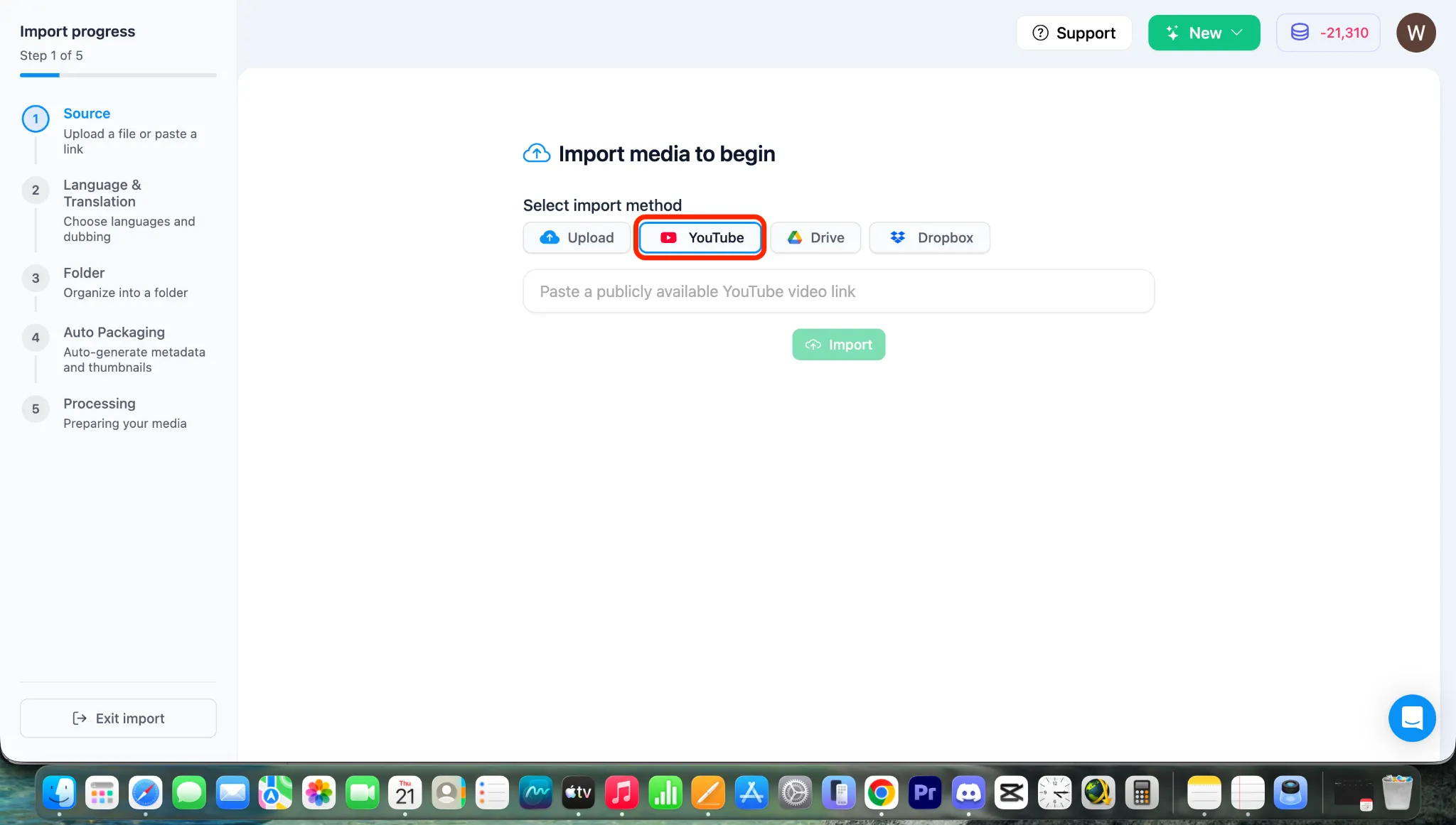
- Cole o URL do YouTube que você copiou na caixa de entrada do link.
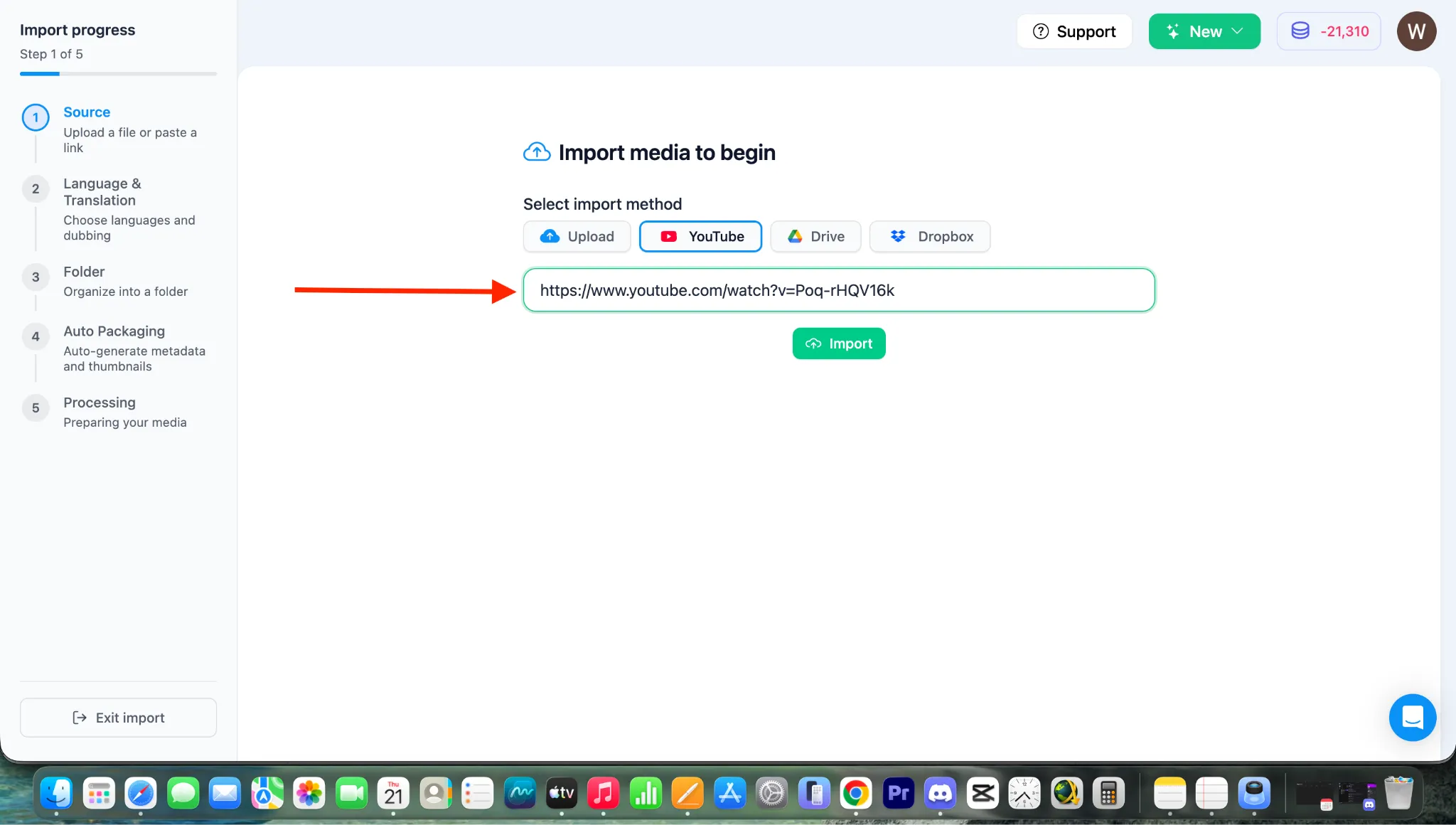
- Clique no botão IMPORTAR para carregar o vídeo.
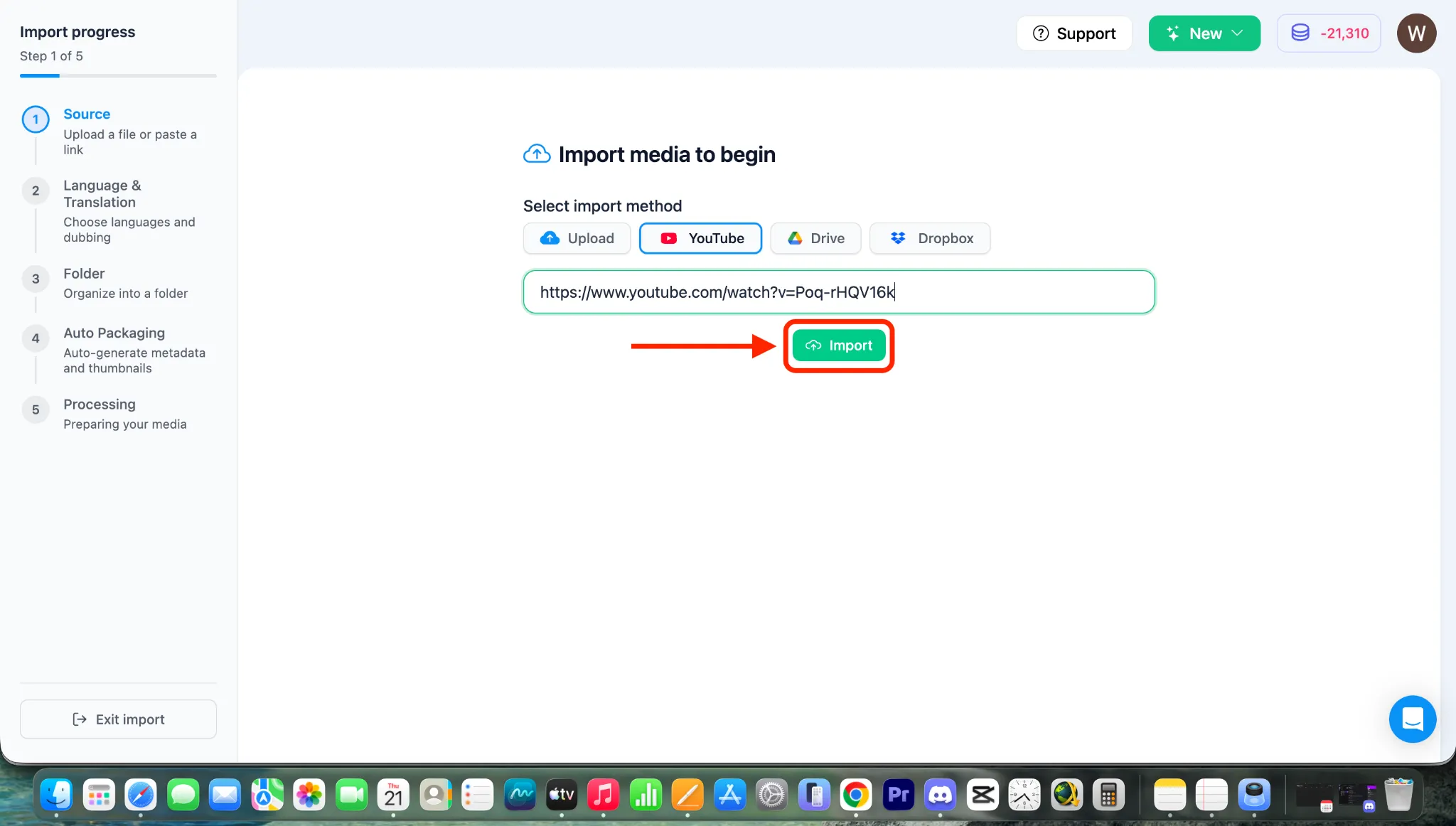
Nota: Após clicar em IMPORTAR, o vídeo começará a ser importado diretamente do YouTube, e você será levado para a página de configuração de tradução e dublagem. Para personalizar essas configurações, consulte nossos guias dedicados na Categoria 4: O Processo Central de Dublagem e Multilíngue do Braiv.