Carregar Traduções
Aqui estão os passos para carregar um arquivo de áudio do seu computador para que ele seja traduzido para qualquer idioma.
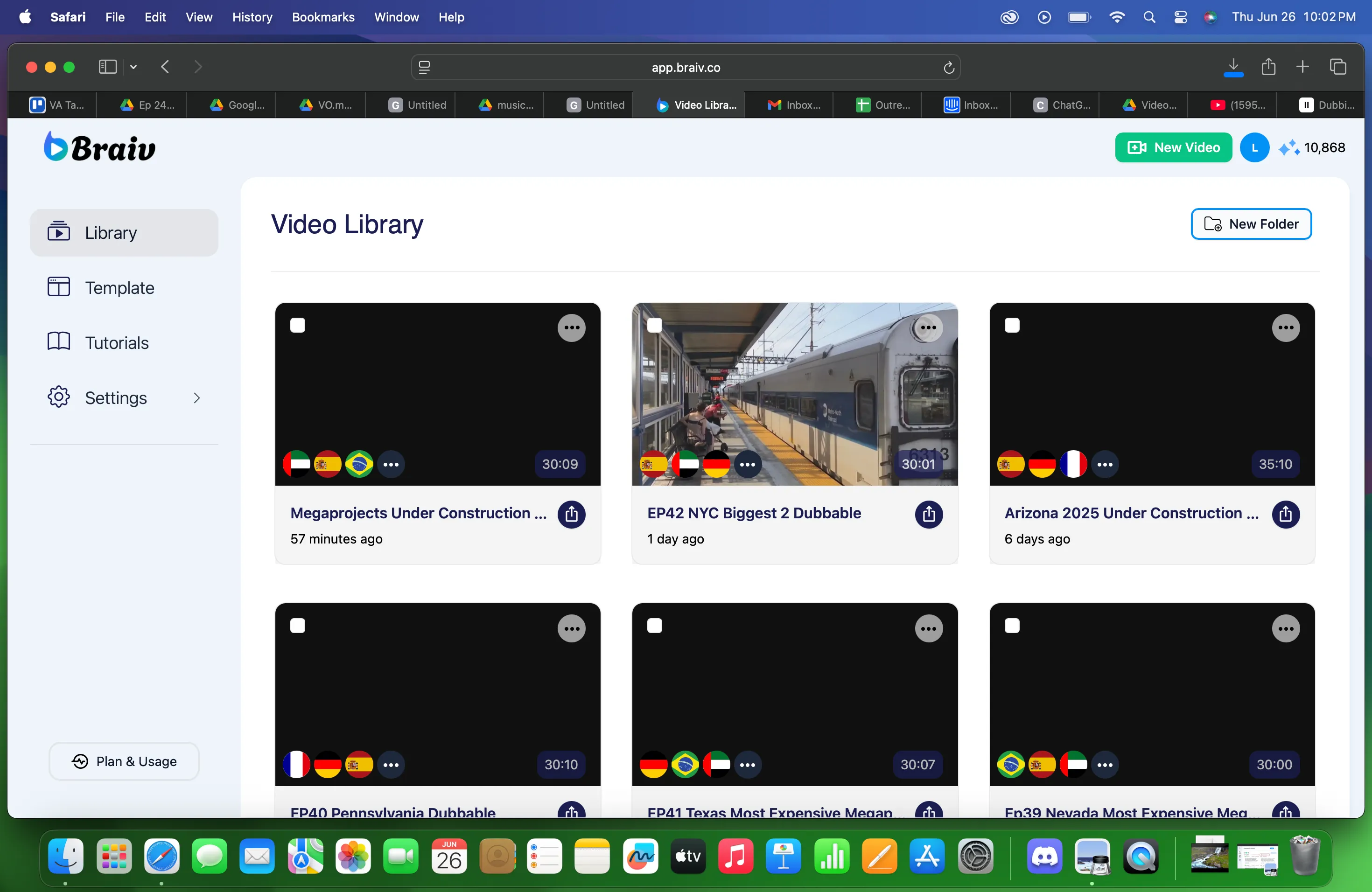
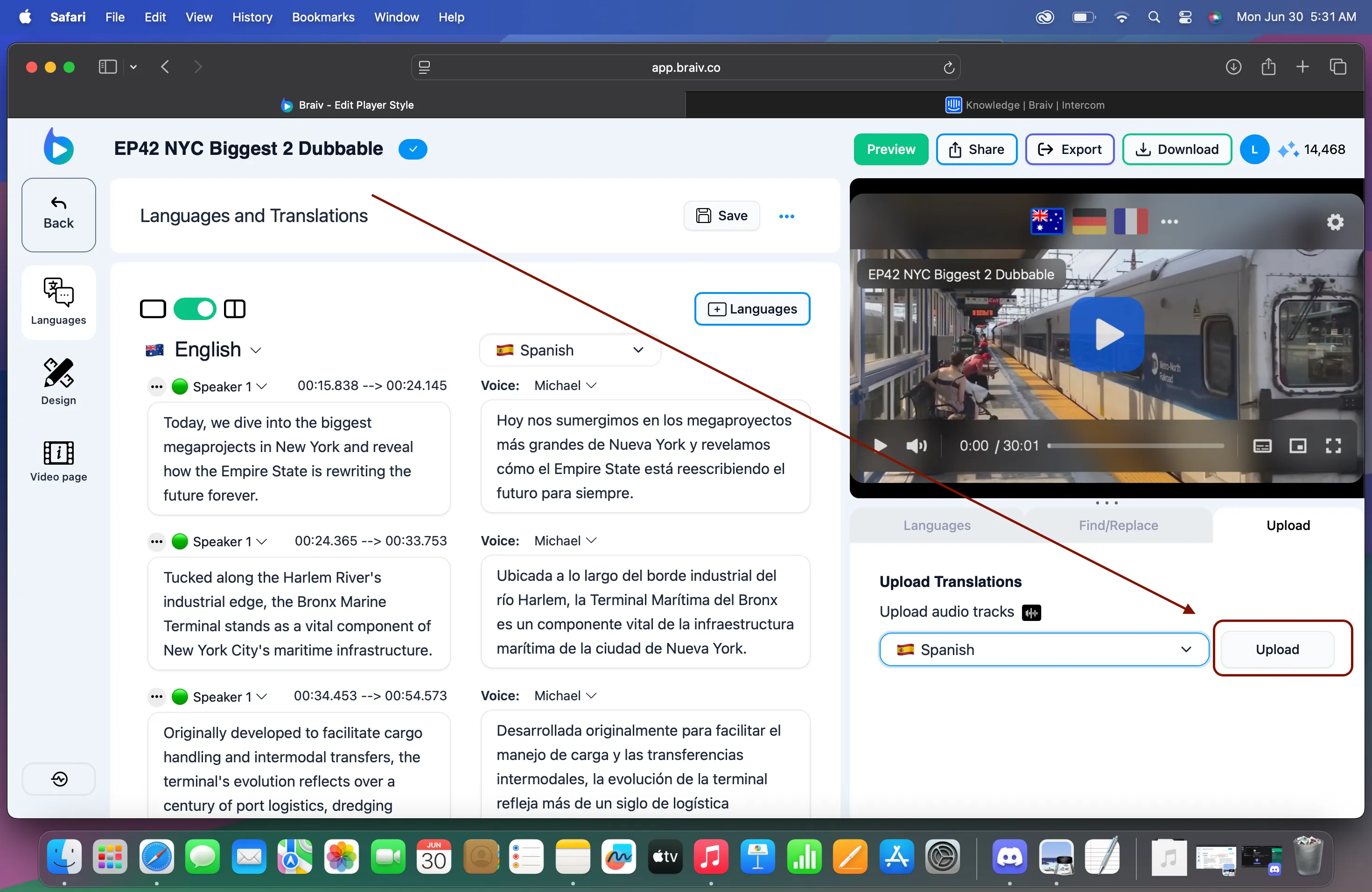
1. Escolha o arquivo da Biblioteca de Vídeos
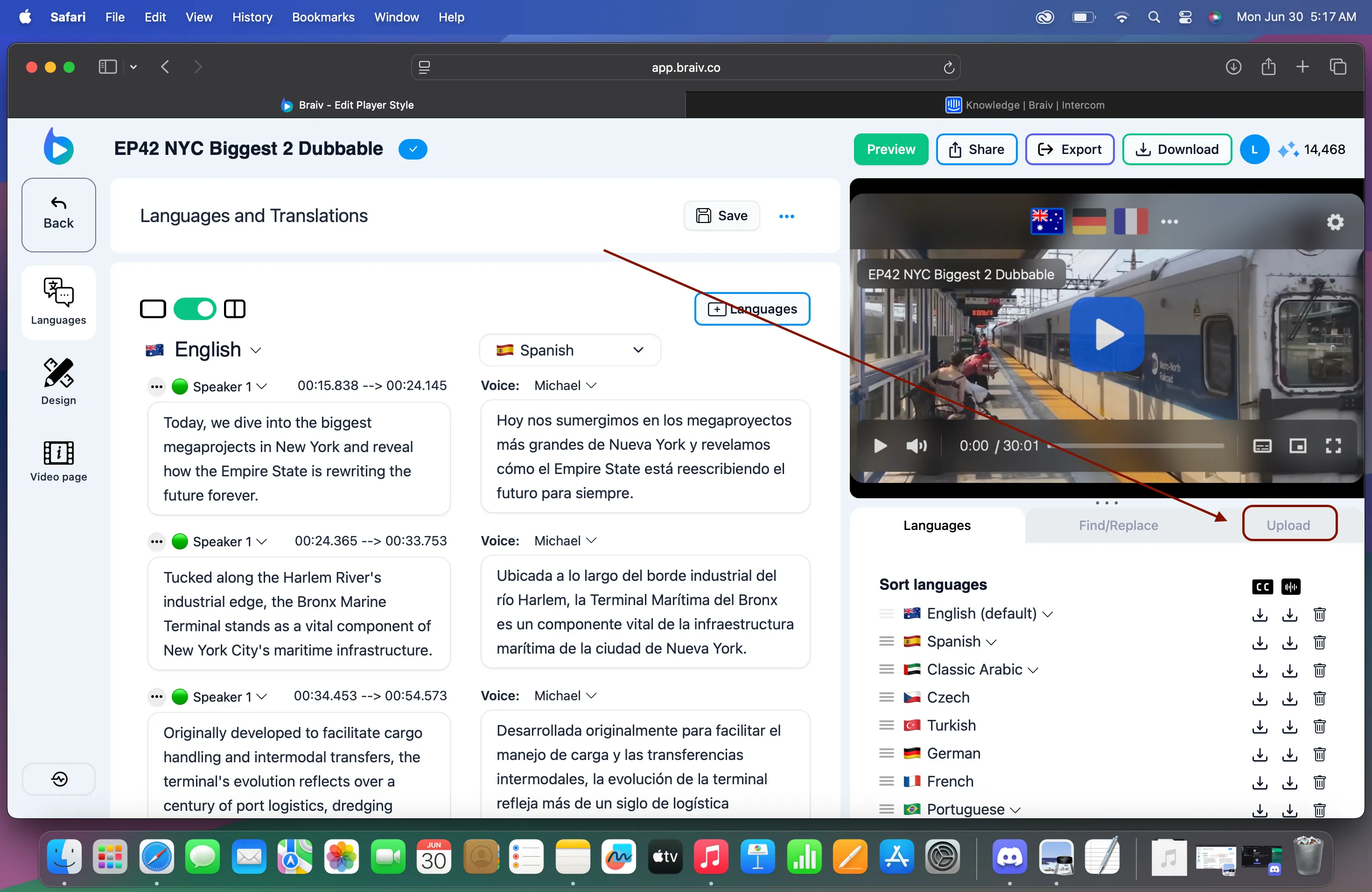
2. No canto inferior direito, você verá CARREGAR.
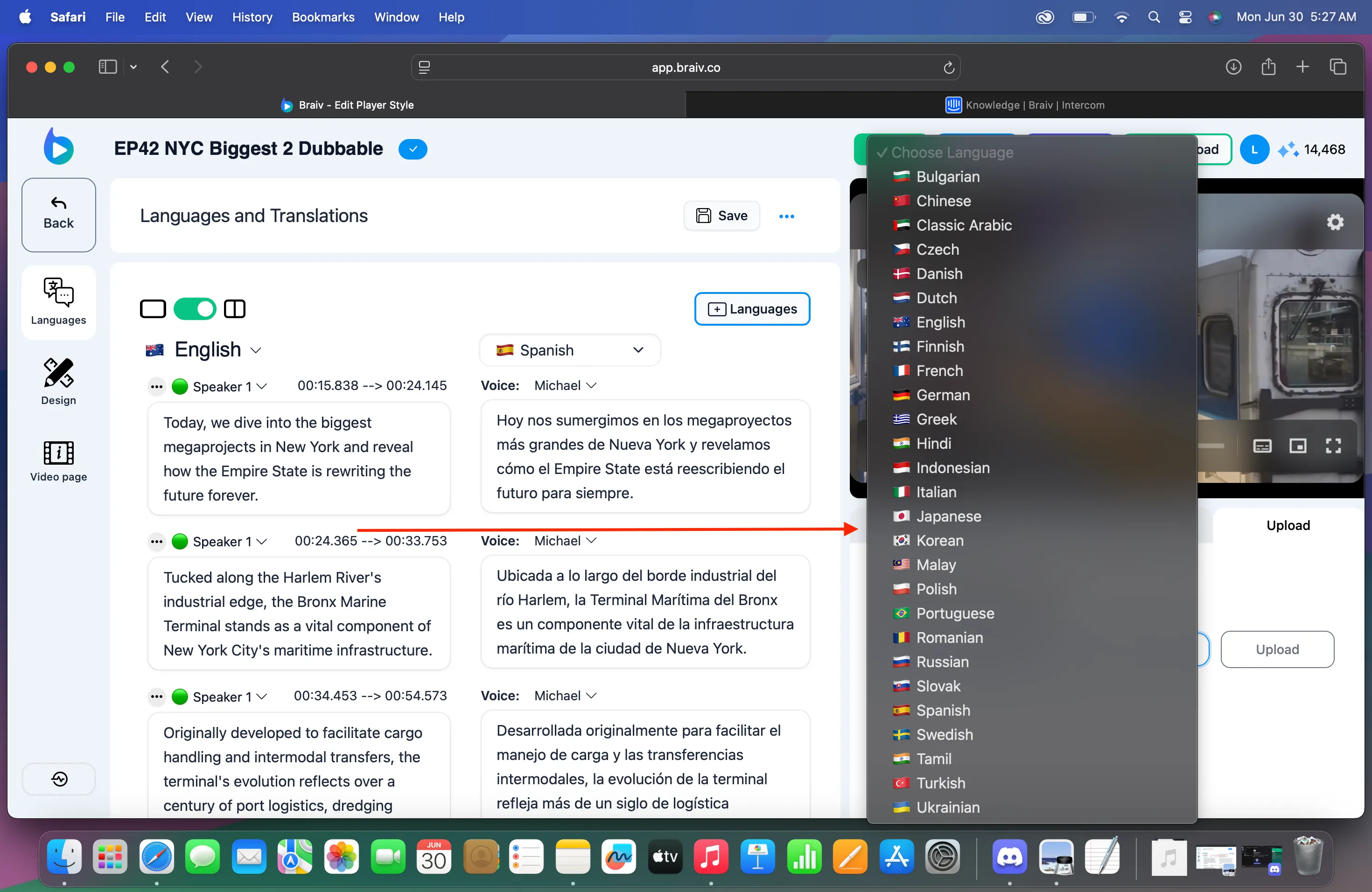
3. Clique em CARREGAR. Escolha o idioma para o qual você deseja que seu arquivo de áudio seja traduzido.
4. Em seguida, clique no botão Carregar.
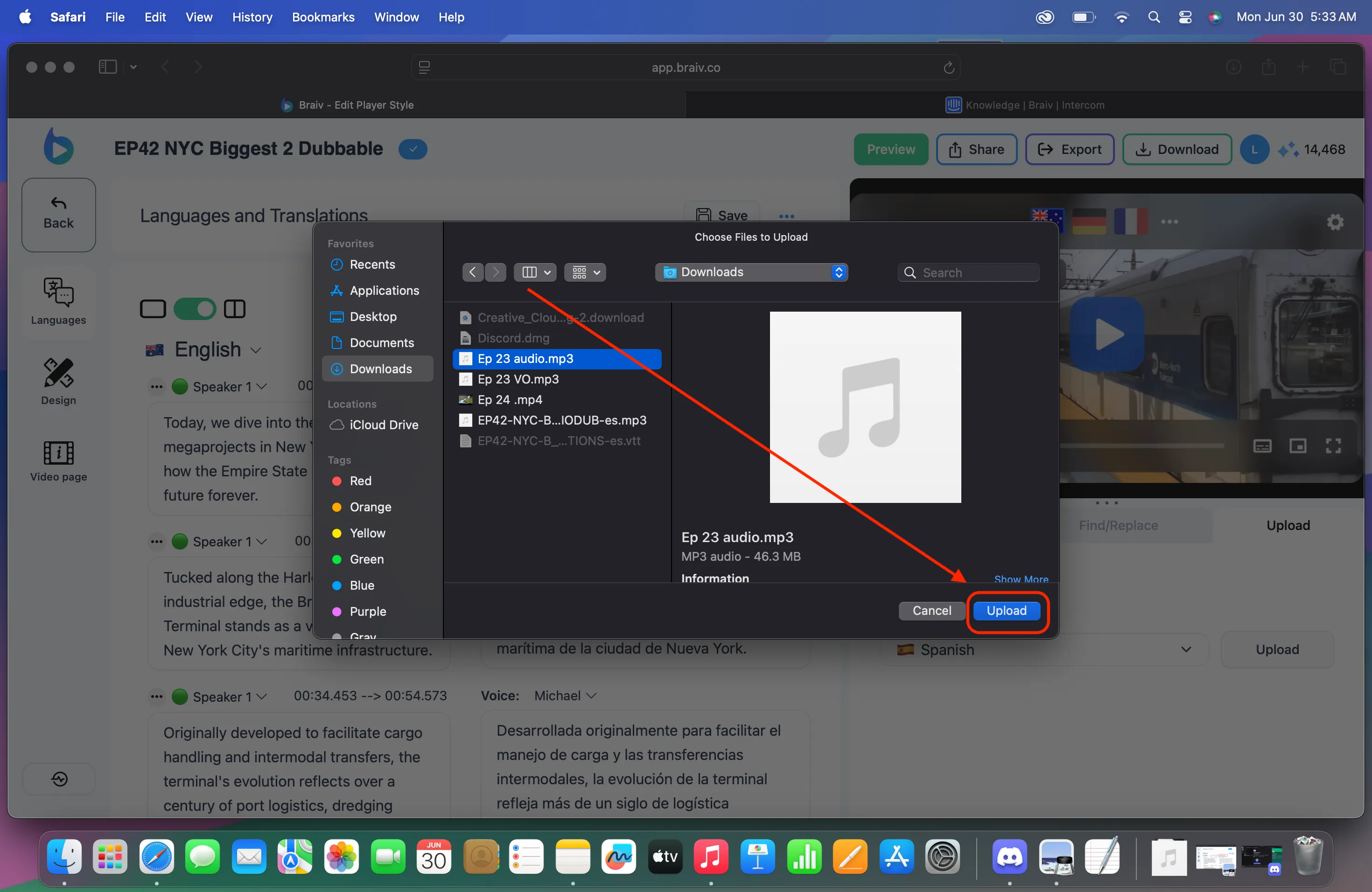
5. Uma nova janela será aberta, onde você poderá navegar pelos arquivos do seu computador.
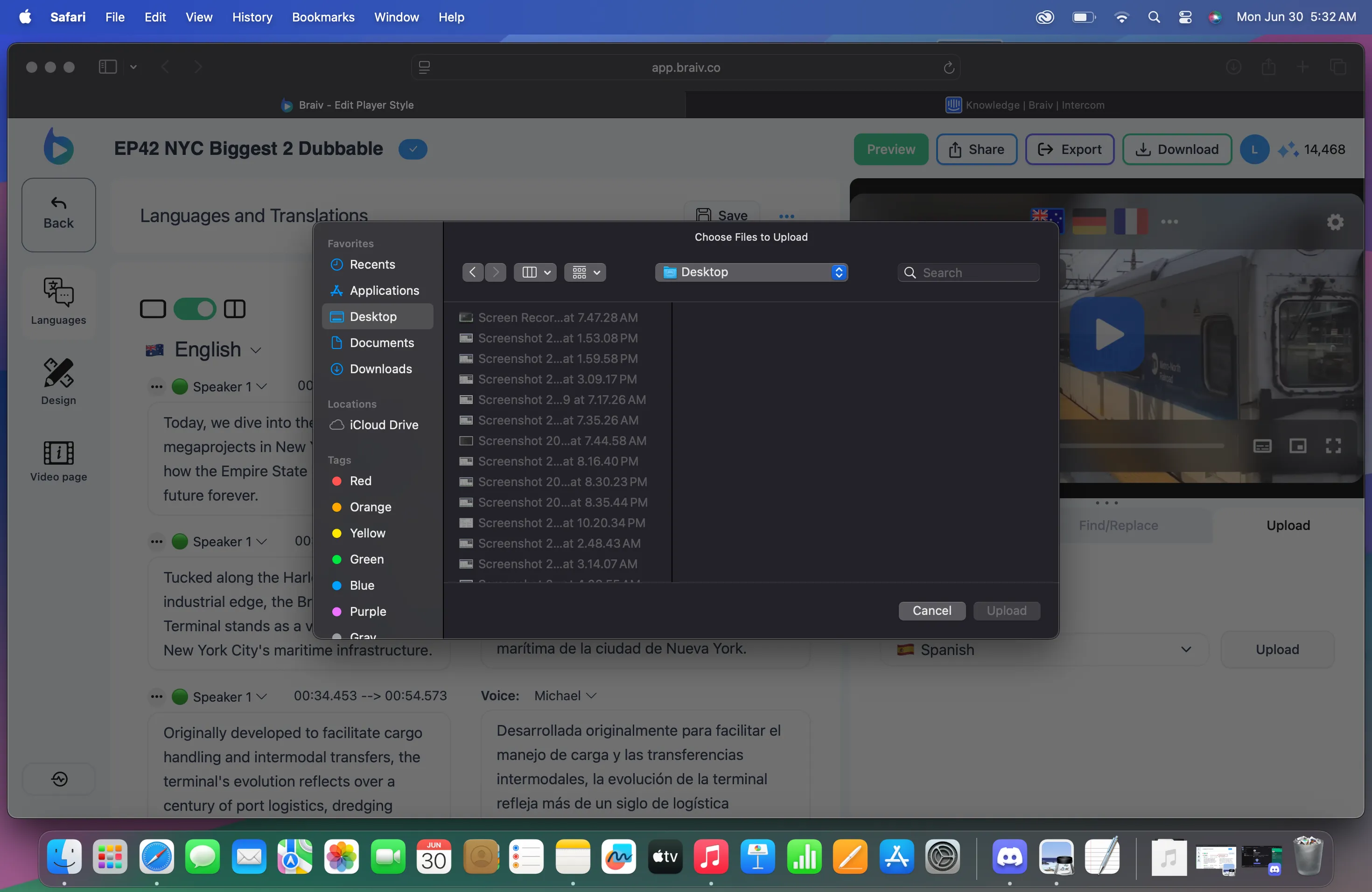
Basta selecionar o arquivo de áudio que você precisa e, em seguida, clicar em carregar.