
Set Preferred Flag in Braiv Player
Here is how to Set Preferred Flag:
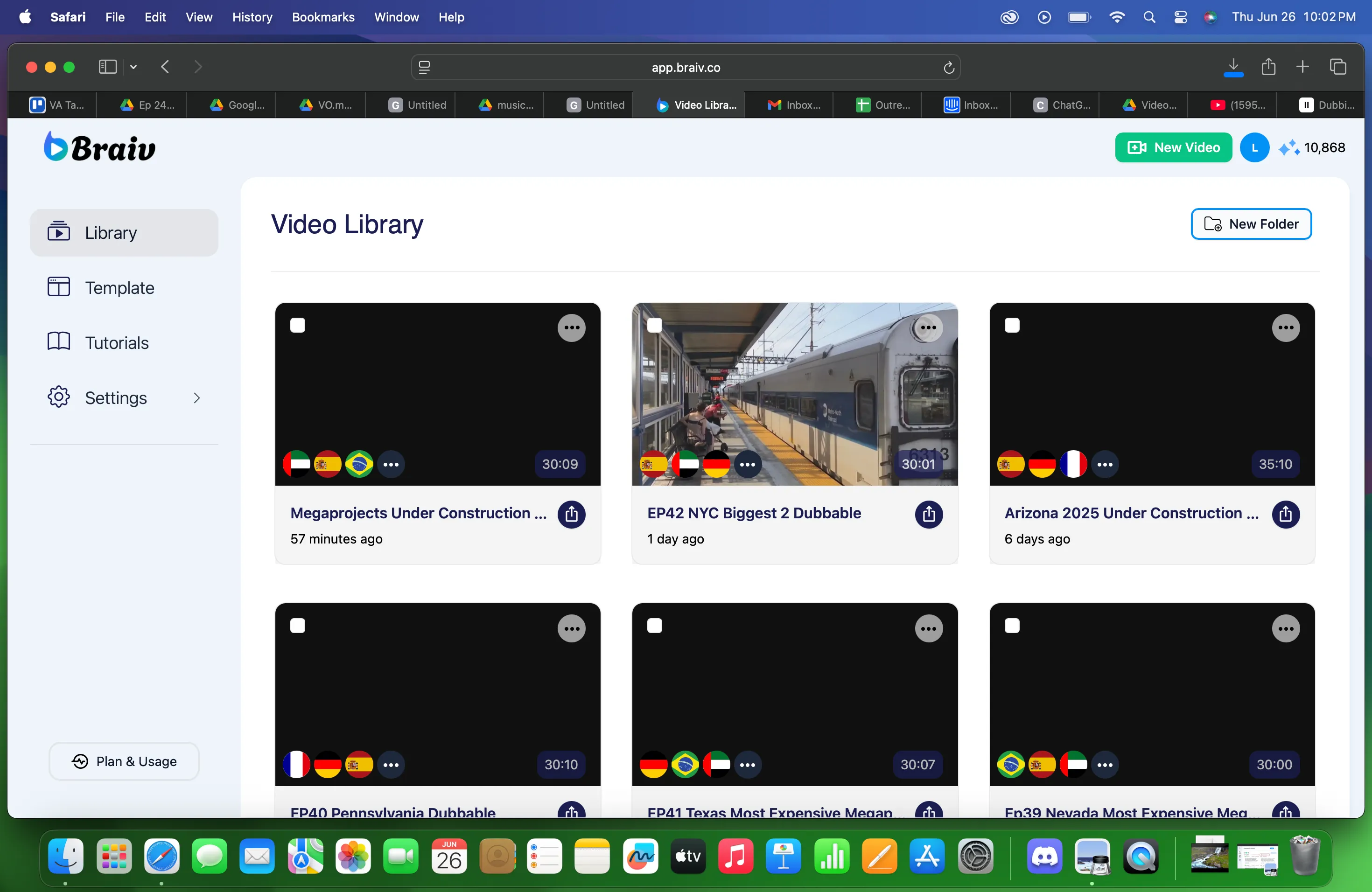
1. Choose a file on the Project Library.
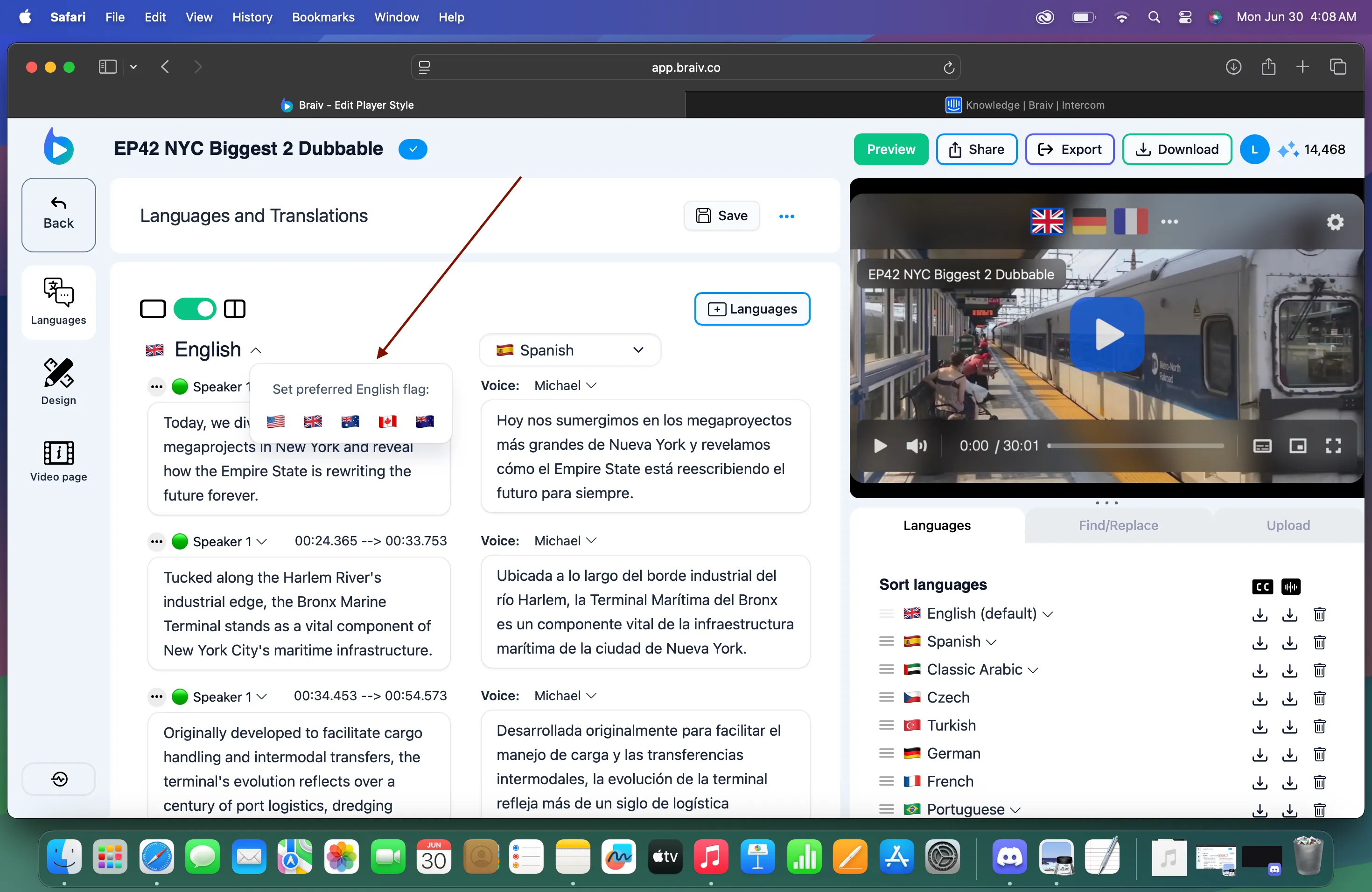
2. Then choose the flag you preferred. The flag also indicates the type of English you are selecting.
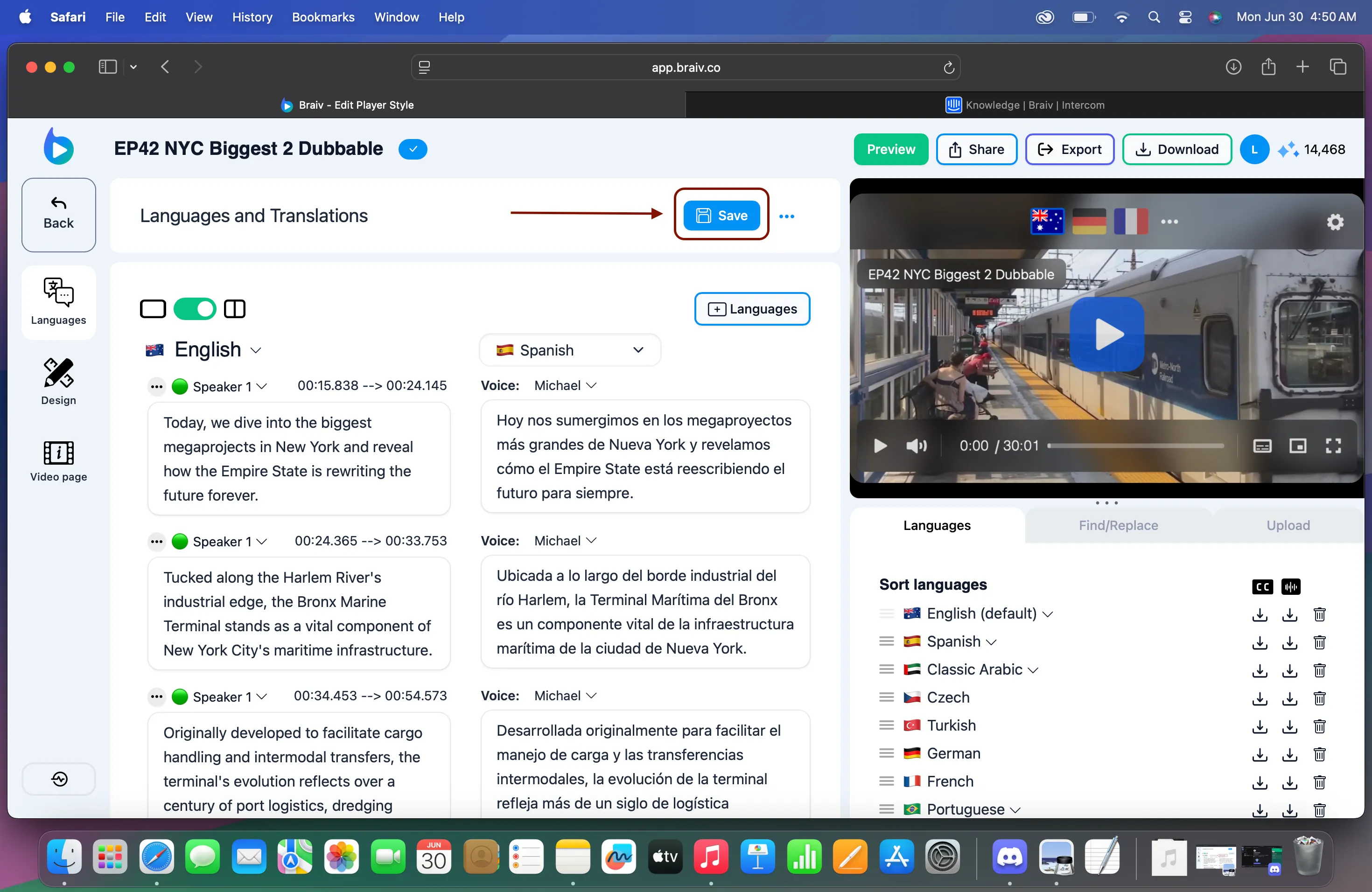
3. Click Save.
Braiv currently supports the following languages for localized flags:
-
English
-
Spanish
-
Arabic
-
Portuguese