Welcome to Braiv (Platform Overview)
Braiv is the all-in-one platform for creators to translate, dub, edit, and publish content that connects with audiences anywhere.
Get started in minutes
Follow our quick start flow or import your first video to begin translating and dubbing.
New to Braiv? Take the dashboard tour ->What is Braiv?
Section titled “What is Braiv?”Braiv helps creators and businesses break language barriers and grow globally. Our AI-powered toolkit handles translation, dubbing, editing, and publishing so you can focus on creating.
The Core 3-Step Process
Section titled “The Core 3-Step Process”Upload a new video to optimize, or pull in existing videos from a connected YouTube channel.
Optimize every element of your video for maximum CTR, and localize titles, captions, dubs, and thumbnails for global reach.
Publish to YouTube from Studio or your Project Library. Bulk and scheduled publishing options are available in the app as your plan allows.
Where to Next?
Section titled “Where to Next?”Explore these popular guides to keep going.
Detailed Platform Walkthrough
Section titled “Detailed Platform Walkthrough”Using Braiv is designed to be simple and seamless. The platform operates on three main steps:
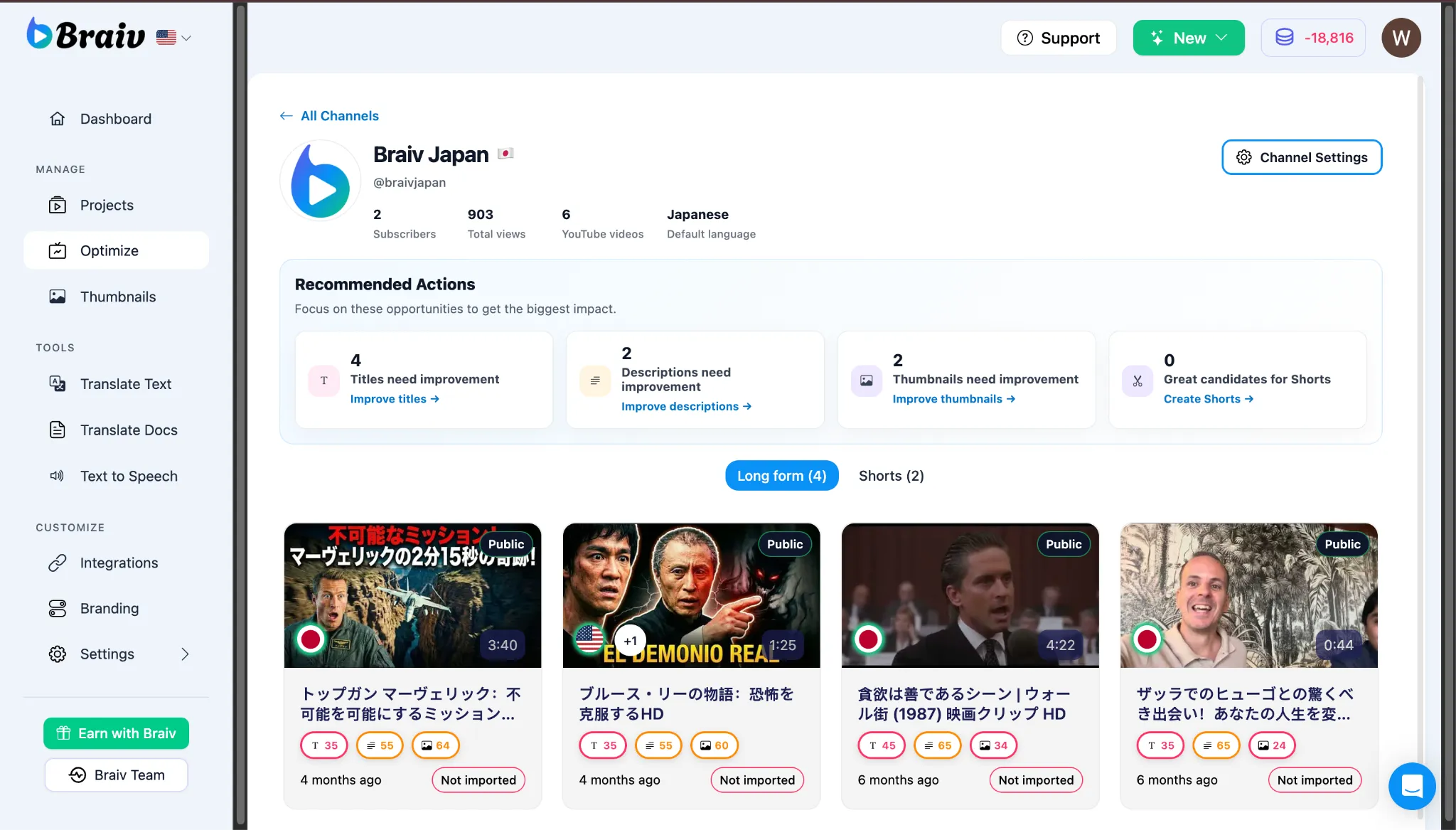
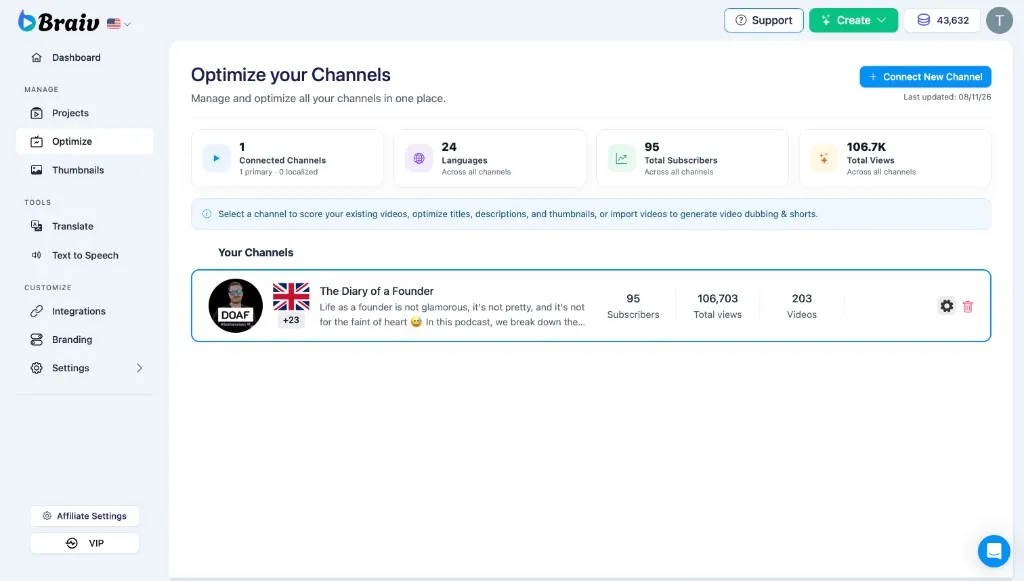
- Connect your YouTube channels Open Channels in the left sidebar to connect one or more YouTube channels. Once linked, you can work with videos already live on a channel, refresh metadata with AI-generated titles and descriptions, design higher-CTR covers in the Thumbnails suite, and publish packaged updates back to YouTube. (Dedicated Channels / Optimize how-tos are expanding in the Help Center.)
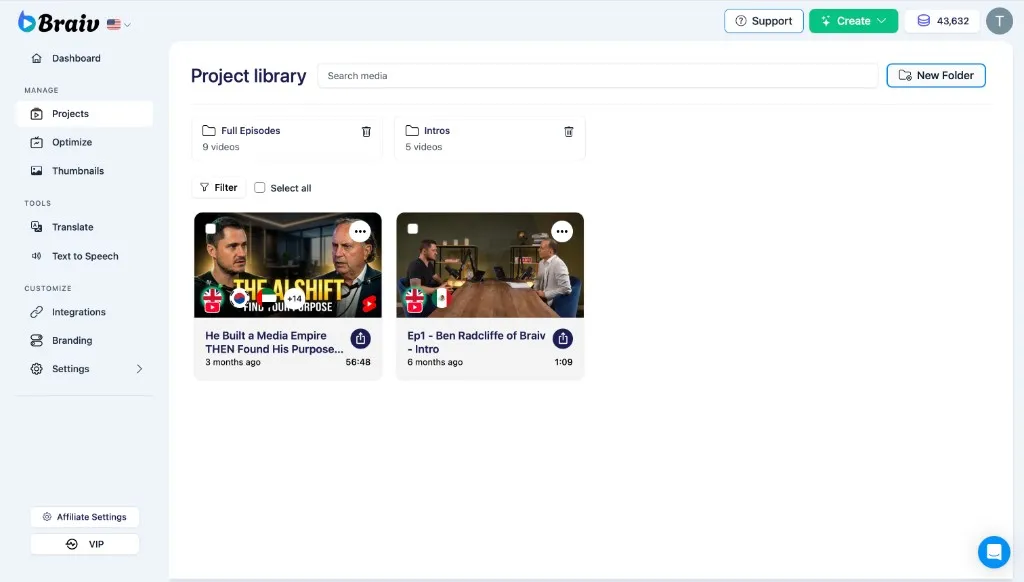
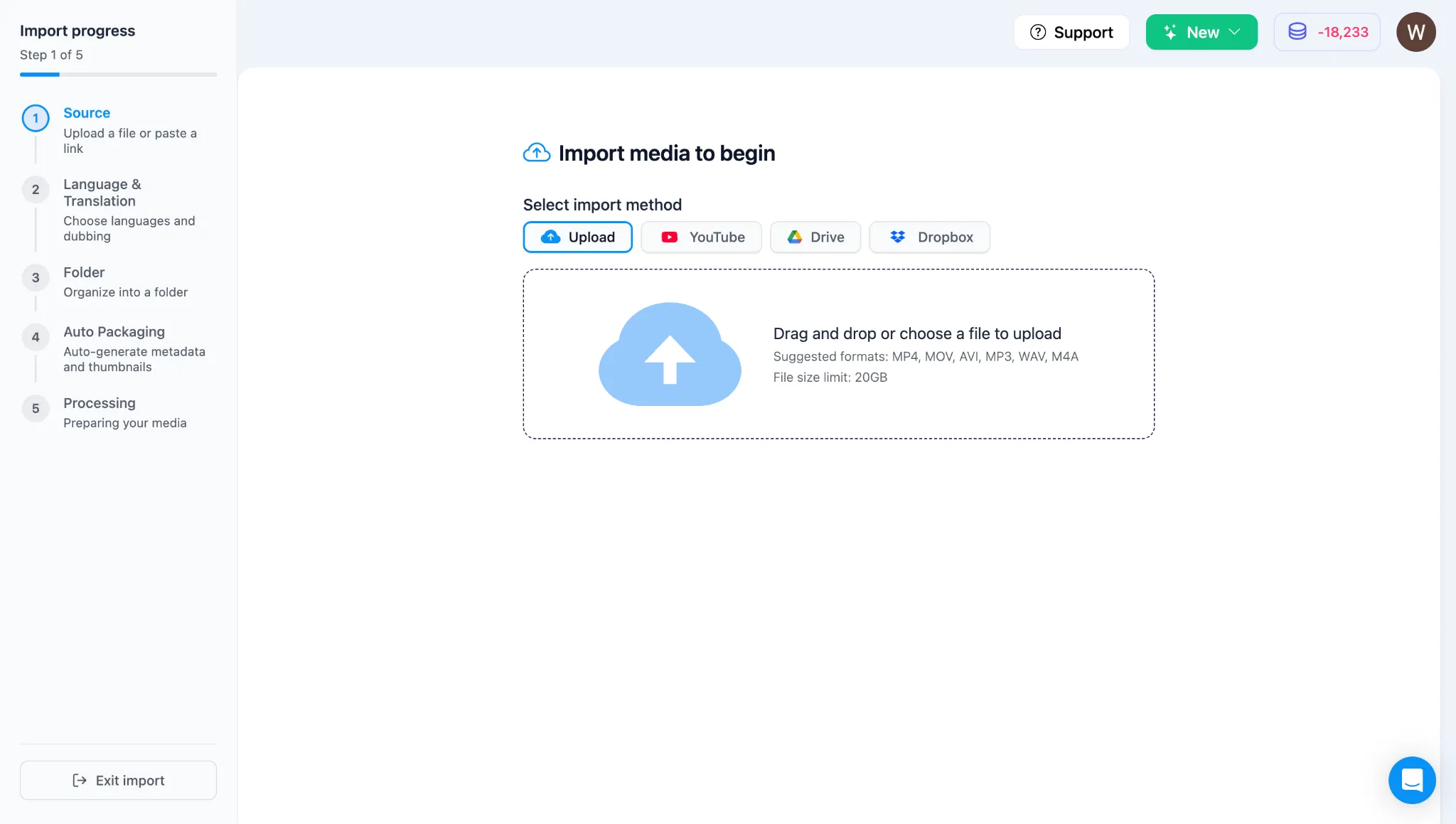
- Import a project Upload master files from your computer, or import from YouTube, Google Drive, or Dropbox. You can also start from the top Create menu (Translate a Video).
- Localize, package & publish
In Braiv Studio, Braiv helps you:
- Generate titles and descriptions for SEO.
- Create high-converting thumbnails in the Thumbnails suite.
- Extract vertical clips with Braiv Shorts.
- Translate, dub, and lip-sync across target languages in Braiv Dubbing.
- Publish to YouTube (and other connected platforms via Integrations) when you are ready. Bulk scheduling and calendar workflows are expanding in the Help Center.